




Go to Android platform Display platforms icon
Go to Android platform Go to Windows platform Go to Mac platform
PicsArt icon

PicsArt

28.7.5
1,829 reviews
46.8 M downloads

Create, edit and transform photos with AI

Advertisement
Remove ads and more with Turbo
Advertisement
Remove ads and more with Turbo
Alberto García icon
Reviewed by
Alberto García
Developer’s Operations and Support
Alberto García is part of Uptodown's in-house Editorial Team. Translated by Uptodown Localization Team

PicsArt is a photo and video editing app with thousands of different options to help you customize your images, whether with classic manual touch-ups or through AI. Thanks to PicsArt, you can edit, generate and transform images and get professional results in a matter of seconds. For example, you can remove backgrounds or create AI art from scratch, making PicsArt an ideal app for hobbyists, artists and even those looking for a professional finish.

All-in-one creativity

PicsArt presents you with a complete design and editing studio on your cell phone. After adding your images, you can enhance, crop, and apply hundreds of filters and visual effects to your heart's content without the need for any technical knowledge. PicsArt's AI-based tools can help you remove unwanted objects and apply quality improvements automatically.

Advertisement
Remove ads and more with Turbo

Ready-to-use templates

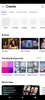
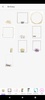
PicsArt includes customizable templates to help you complete your projects faster. For example, you can use these PicsArt templates as a base to design a logo, a business card or a social media post. These templates allow you to adapt professional designs with just a few touches. You can add your own colors, fonts and photos to adapt it to your personality or brand.

Editing with AI

AI editing is one of PicsArt's most popular features, offering tools that enhance your photos beyond basic filters. With AI Enhance you can improve the quality of blurred or low-res images, while Remove Object erases any unwanted elements with pinpoint accuracy. There's also AI Replace, a function that allows you to modify specific aspects of an image, such as hair color, facial expressions or even the background of a scene. If you're looking to generate original content, the AI image generator offers you a way to create custom illustrations or GIFs from a text prompt. You can even generate a new image from other images, for example generating an image of two characters hugging by simply uploading a screenshot of their faces.

Professional photo and video editing tools

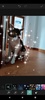
The PicsArt video editor is designed for social media content creators, providing users with fast yet comprehensive features for clips, reels or stories. You can combine scenes, add music, apply effects and retouch visual fragments with filters, transitions or dynamic collages. As for photos, there are advanced settings like exposure, contrast, saturation and hue, along with automatic tools for balancing light and skin tone.

Collages, stickers and creative texts

To help you create the most unique designs, PicsArt has a huge library of over 60 million stickers. You can even create your own stickers and add them to your projects. The collage tool allows you to combine images and design them any way you want. What's more, the text editor has hundreds of modern and customizable fonts for any text or captions you need to add.

Community and creative spaces

PicsArt is not just an app, it is a community of millions of users that brings together photographers, designers and digital artists. Picsart Spaces allows you to share your creations, find inspiration and discover the latest design trends. Each category includes featured projects, offering you a novel way to learn from other users.

Premium experience with the Plus and Pro subscriptions

The app can be used for free with more basic features, but the Plus and Pro plans add a series of benefits such as the removal of ads, more AI tools, special editing options, premium templates and more cloud space. By subscribing, you also have access to advanced facial retouching features and collaborative tools.

Download the PicsArt APK and transform your device into a professional creative studio.

Requirements (Latest version)

  • Android 6.0 or higher required

Information about PicsArt 28.7.5

Package Name com.picsart.studio
License Free
Op. System Android
Category Photography
Language English
22 more
Author PicsArt
Downloads 46,843,758
Date Nov 6, 2025
Content Rating +12
Advertisement Not specified
Why is this app published on Uptodown? (More information)

Older versions

See more
xapk 28.6.7 Android + 6.0 Nov 14, 2025
xapk 28.6.6 Android + 6.0 Nov 1, 2025
xapk 28.5.6 Android + 6.0 Nov 17, 2025
xapk 28.5.5 Android + 6.0 Oct 9, 2025
xapk 28.4.8 Android + 6.0 Oct 8, 2025
xapk 28.3.5 Android + 6.0 Oct 11, 2025

Rate this App

Review the app
PicsArt icon

Rating

4.2
5
4
3
2
1
1,829 reviews

Users say

  • Users appreciate PicsArt for being an excellent editing tool
  • Users frequently describe it as their favorite and the best option for Photoshop
  • The application is constantly praised for delivering an amazing user experience
This is an AI-generated summary based upon real user reviews.

Comments

See more
dangerouswhiterabbit74597 icon
dangerouswhiterabbit74597
2 days ago

Excellent

Like
Reply
happybrownmonkey85720 icon
happybrownmonkey85720
2 days ago

Best application

Like
Reply
fastvioletmango83208 icon
fastvioletmango83208
1 week ago

The best and most amazing in design, I wish it was completely free.

Like
Reply
grumpybluepanther82799 icon
grumpybluepanther82799
2 weeks ago

Best

Like
Reply
calmgreynightingale96002 icon
calmgreynightingale96002
3 weeks ago

good

Like
Reply
gooddeath icon
gooddeath
4 weeks ago

Favorite and best Photoshop

Like
Reply
See more

It may interest you

Advertisement
Remove ads and more with Turbo

More apps from this author

Picsart Photo Studio icon
Edit your pics with tons of tools
PicsArt Animator icon
Make simple and fun animations
PicsArt Color Paint icon
An excellent drawing tool for Android
PicsArt Goo icon
Use your fingers to edit and apply effects to your images!
PicsArt for Kids icon
Paint and colour on the screen of your mobile phone
PixelArt: Color by Number icon
An easy way to create pixelated works of art
Meitu icon
Filters and effects to give your photos a unique look
FramMe icon
Comprehensive photo editor with AI filters and custom frames
Hypic icon
An innovative photo-retouching tool
Alight Motion icon
Edit and animate videos on your smartphone
FaceApp icon
Apply spectacular filters to your photos
Efiko: Aesthetic Filters icon
Quickly and easily edit your videos
Remini icon
Restore and enhance your photos using AI
BeautyCam icon
Edit your photos with AI and dozens of features
CapCut icon
The official video-editing app from TikTok
Blackmagic Camera icon
Turn your smartphone into a professional camera
TikTok icon
Welcome to the global community of short videos
VidMate - HD video downloader icon
Download music and videos from any video portal
TubeMate icon
Download video and music from streaming and social websites.
Netflix icon
All Netflix movies and series now on Android
Hypic icon
An innovative photo-retouching tool
YouTube icon
All the content you could want on your cell phone